

Hey readers! As an Amazon Associate and Ottocast Partner, I earn from qualifying purchases. So when you click on a link in this post and then buy something from them, I may earn a small commission at no additional cost to you — it won’t help you, but it certainly helps me deliver quality content for informed purchases.
Does wireless CarPlay actually run on Bluetooth, Wi-Fi, or some combination of the two?
The answer is both, but they have very different jobs.
Bluetooth gets your iPhone and car talking initially, while Wi-Fi takes over once the wireless CarPlay session begins.
That distinction explains why you can sometimes see your iPhone connected to your car over Bluetooth while CarPlay itself refuses to appear. It also explains why wireless CarPlay can deliver video, navigation, music, calls, and other data without requiring a USB cable.
But why is Bluetooth or Wi-Fi alone not sufficient to run your Wireless Apple CarPlay? Is it the technology involved or its limitations?
We’ll be discussing all that in this guide below.
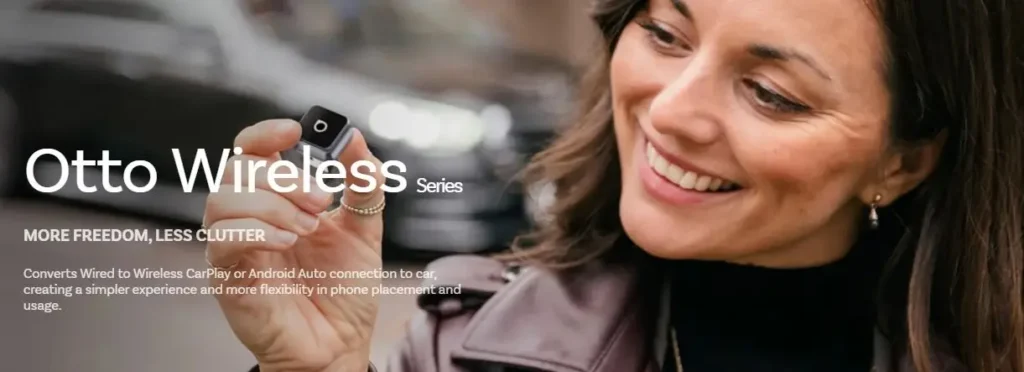
For folks who don’t know, there’s this brand new series of Otto Wireless Adapters that convert any wired USB car connections to Wireless CarPlay and Android Auto Connection for compatible phones. Worth checking if you are fed up of those USB cables, but can’t yet upgrade your car or your phone 😉
I earn a commission if you click this link and make a purchase at no additional cost to you.
Table of Contents
So, Does Wireless CarPlay Use Wi-Fi or Bluetooth?
It Uses Both, but Wi-Fi Does Most of the Work
Apple’s own CarPlay development documentation is unusually clear on this point:
Wireless CarPlay requires both Bluetooth and Wi-Fi.
Bluetooth is used for discovery and the initial connection, after which the iPhone receives the car’s Wi-Fi credentials and establishes the higher-bandwidth Wi-Fi connection.
Once the Wi-Fi connection is established, the actual CarPlay session, including audio, video, and control data, travels over Wi-Fi.
In Apple’s description of the architecture, Bluetooth is subsequently disconnected from the active CarPlay transport.
So the simplest way to remember it is:
Bluetooth = finds your car and starts the connection.
Wi-Fi = carries the CarPlay experience.
How Does a Wireless CarPlay Connection Actually Work?
The process happens so quickly that most drivers never see the individual steps.

1. Bluetooth Finds Your Car
When you first pair an iPhone with a compatible wireless CarPlay system, Bluetooth allows the iPhone and vehicle’s head unit to discover each other. Apple’s wireless CarPlay requirements include Bluetooth support for discovery, service discovery, iAP2 communication, and reconnecting previously paired devices.
2. Bluetooth Helps Set Up the Wi-Fi Connection
After the devices have established their initial relationship, the car provides the information needed for the iPhone to join its CarPlay Wi-Fi network. Apple describes the Wi-Fi credentials being sent to the iPhone over Bluetooth during this setup process.
3. Wi-Fi Takes Over
The iPhone joins the vehicle’s Wi-Fi access point and establishes the actual CarPlay session. Apple specifies Wi-Fi for the audio and video streams as well as CarPlay protocol data. This is why wireless CarPlay needs significantly more bandwidth than ordinary Bluetooth audio.
Apple originally specified approximately 25 Mbps of throughput for wireless CarPlay and recommended a 5 GHz Wi-Fi connection, with 802.11ac specifically recommended in its automotive development guidance.
Don’t know how to connect iPhone to CarPlay? Apple has a great, to-the-point, and small iPhone user guide for just this. Make sure to select your iOS version before implementing it.
Why Doesn’t Bluetooth Carry the Whole CarPlay Experience?
Bluetooth is excellent for relatively lightweight connections such as device discovery, basic communication, calls, and audio. CarPlay, however, is doing much more.
Think about everything happening on your dashboard at once: the animated interface, map graphics, route information, music, Siri responses, phone-call audio, controls, and other data. Apple’s architecture sends the high-bandwidth CarPlay traffic over Wi-Fi rather than relying on Bluetooth for the entire session.
That is why simply pairing your iPhone with a car over Bluetooth does not automatically mean the vehicle supports wireless CarPlay.
What Bluetooth Technology Does Wireless CarPlay Support?
This is where things get slightly more technical—and where online explanations can become misleading.

Apple’s public wireless CarPlay documentation does not specify a single consumer-facing Bluetooth version such as “Bluetooth 5.0” or “Bluetooth 5.3” as the minimum requirement for CarPlay.
Instead, Apple specifies that the vehicle’s Bluetooth subsystem must support the required Bluetooth Core Specification functionality, service discovery, iAP2 protocols, and CarPlay identification.
Apple’s developer documentation also describes Bluetooth Secure Simple Pairing during the wireless CarPlay setup process.
That means it is safer to judge a vehicle by its official wireless CarPlay compatibility rather than assuming that a particular Bluetooth number automatically means CarPlay will work.
What About Bluetooth Range?
Bluetooth technology itself can have a surprisingly broad theoretical range. Bluetooth SIG says reliable Bluetooth range can vary from less than one metre to more than a kilometre, depending on factors such as radio configuration, spectrum, transmit power, antenna design, and data-rate requirements.
However, that does not mean wireless CarPlay works at kilometre distances.
CarPlay is designed for the very short-range environment between your phone inside the vehicle and the vehicle’s head unit. The practical connection range depends on the car’s hardware and the environment.
So quoting a generic “Bluetooth range” for CarPlay can be misleading.
What Wi-Fi Does Wireless CarPlay Use?
For wireless CarPlay, Wi-Fi is the high-bandwidth transport.
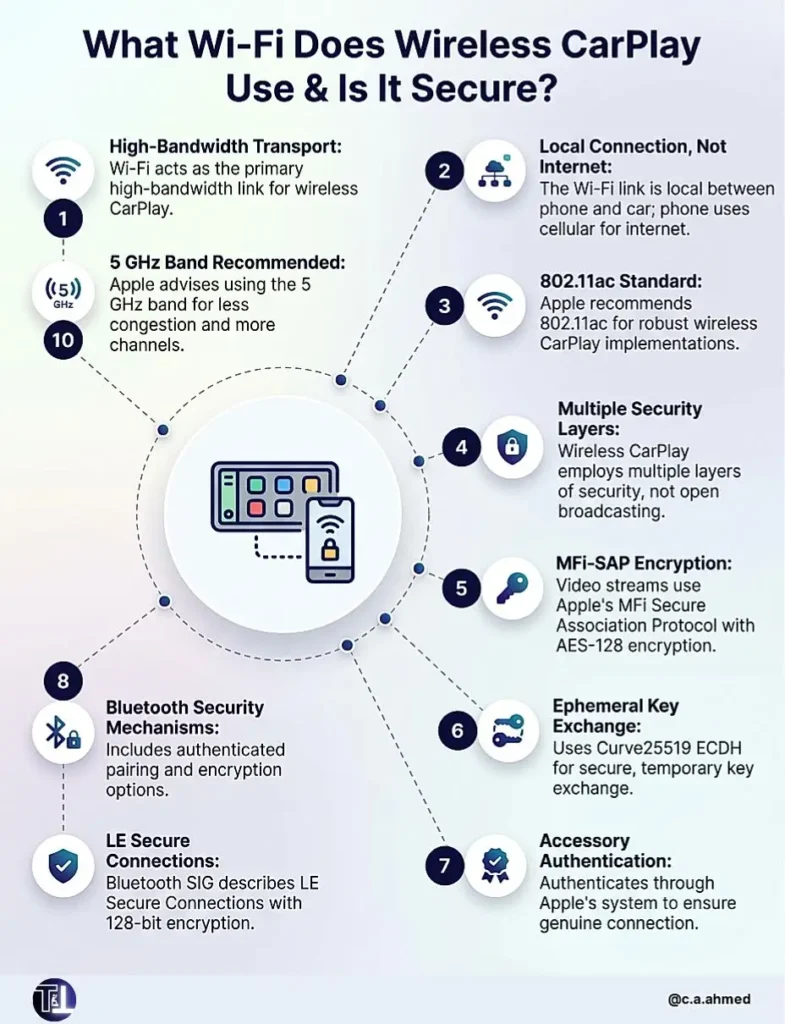
Apple recommends that the vehicle’s Wi-Fi access point operate in the 5 GHz band and recommends 802.11ac for wireless CarPlay implementations. Apple says 5 GHz provides more available channels and is generally less congested, helping reduce interference.
Apple has also continued improving wireless CarPlay implementation guidance.
Its newer developer documentation specifically discusses WPA3-only network support for simplified wireless CarPlay connection flows and recommends designing around interference to maintain a robust Wi-Fi connection.
Importantly, the Wi-Fi connection used for CarPlay does not mean your iPhone has to connect to the internet through the car’s Wi-Fi. The Wi-Fi link can act as the local wireless connection between your phone and the vehicle’s infotainment system; your phone can continue using its cellular connection for internet services.
Is Wireless CarPlay Secure?
Yes, wireless CarPlay includes multiple layers of security rather than simply broadcasting your phone’s information openly.
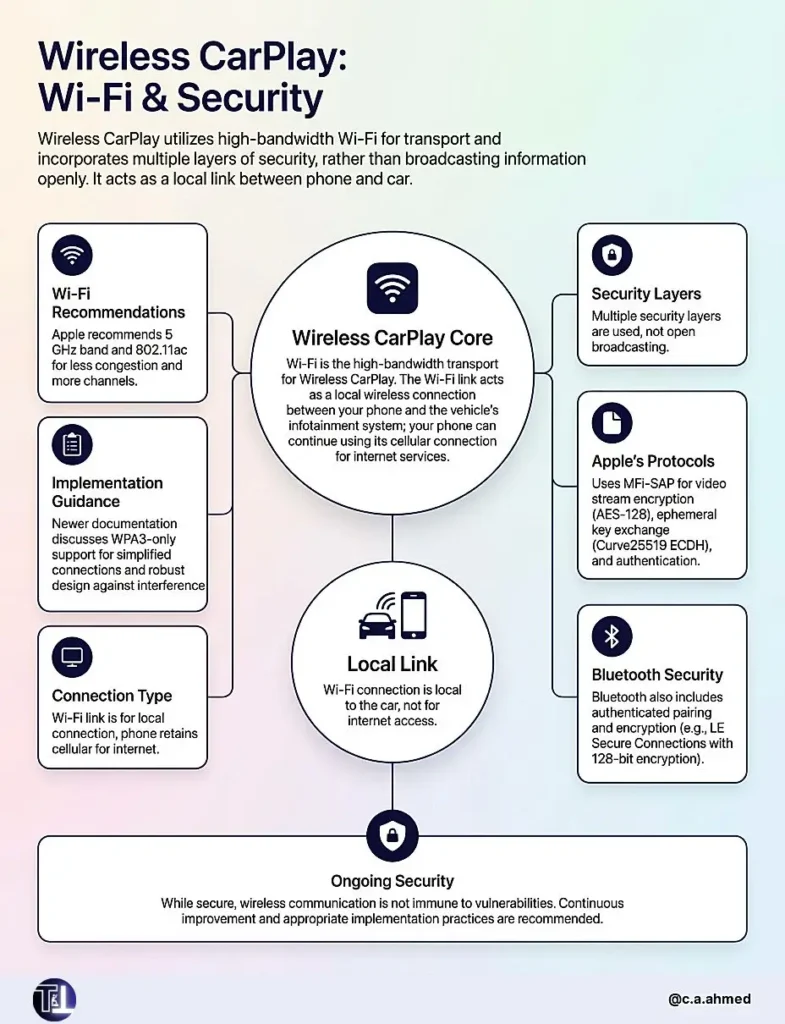
Apple’s platform-security documentation says CarPlay video streams use Apple’s MFi Secure Association Protocol (MFi-SAP), which encrypts communication using AES-128. It also describes ephemeral key exchange using Curve25519 ECDH and authentication through Apple’s accessory-authentication system.
Bluetooth itself also includes multiple security mechanisms, including authenticated pairing and encryption options. Bluetooth SIG’s current specification describes LE Secure Connections, for example, using authenticated pairing and 128-bit encryption where that security level is used.
That does not mean wireless communication is magically immune to security problems. Bluetooth SIG continues to document vulnerabilities and recommends appropriate implementation and security practices for manufacturers.
Why Can Bluetooth Be Connected but CarPlay Still Not Work?
This is one of the most confusing parts for drivers.
Your iPhone can successfully establish a Bluetooth connection with the vehicle while the Wi-Fi portion needed for CarPlay fails. Since Bluetooth handles the initial discovery and pairing while Wi-Fi carries the actual CarPlay session, the two connections should not be treated as interchangeable.
Apple’s own connection instructions tell users with wireless CarPlay to make sure both Bluetooth and Wi-Fi are enabled. On some systems, Apple also instructs users to check that the vehicle’s CarPlay network is selected and Auto-Join is enabled.
A useful troubleshooting rule is therefore simple: Bluetooth connected + no CarPlay does not necessarily mean Bluetooth is the problem. Check the Wi-Fi side too.
Does Wireless CarPlay Use More Battery?
Generally, wireless CarPlay requires the iPhone to maintain Wi-Fi alongside the Bluetooth-related connection process, while wired CarPlay sends data through the USB cable. That can make wireless use less battery-friendly than plugging the phone directly into the vehicle.
The trade-off is convenience: your phone can remain in your pocket or charging elsewhere while the CarPlay interface appears on the car’s display. Apple specifically highlights this cable-free convenience as a major benefit of wireless CarPlay.
Wireless CarPlay vs Wired CarPlay
The fundamental difference is the transport method.
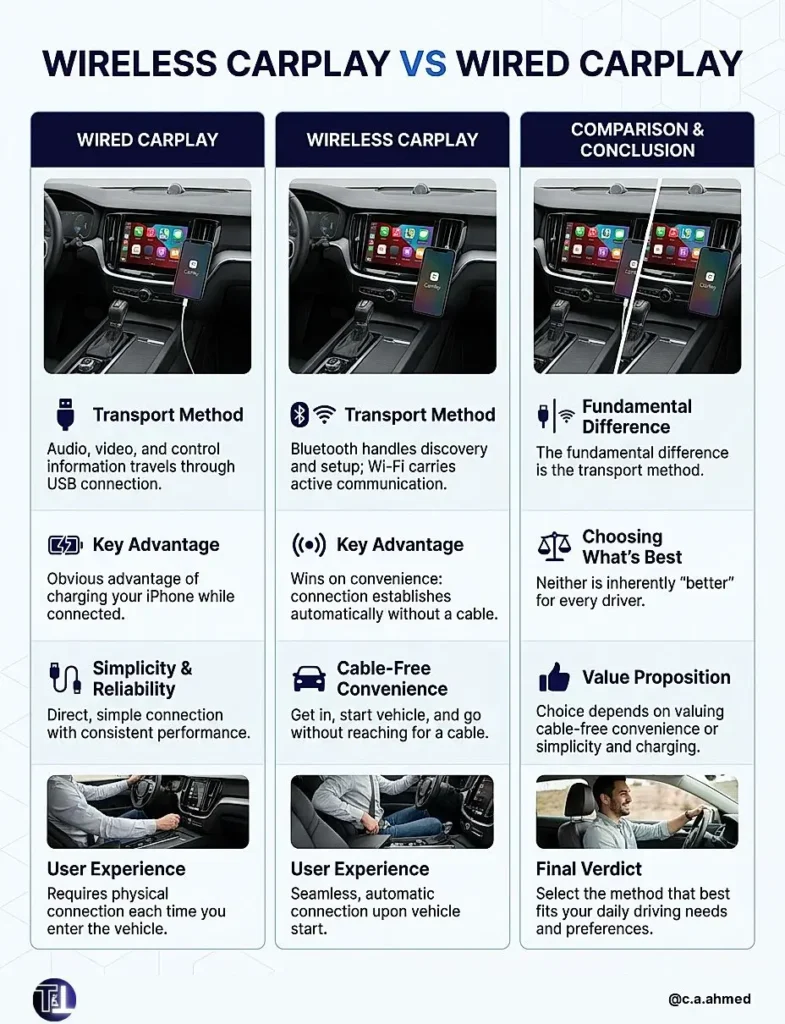
With wired CarPlay, audio, video, and control information travels through USB. With wireless CarPlay, Bluetooth handles discovery and setup, while Wi-Fi carries the active CarPlay communication.
Wired CarPlay has the obvious advantage of charging your iPhone while connected. Wireless CarPlay wins on convenience because you can get in, start the vehicle, and have the connection establish without reaching for a cable.
Neither is inherently “better” for every driver.
The choice largely comes down to whether you value cable-free convenience or the simplicity and charging benefit of a wired connection.
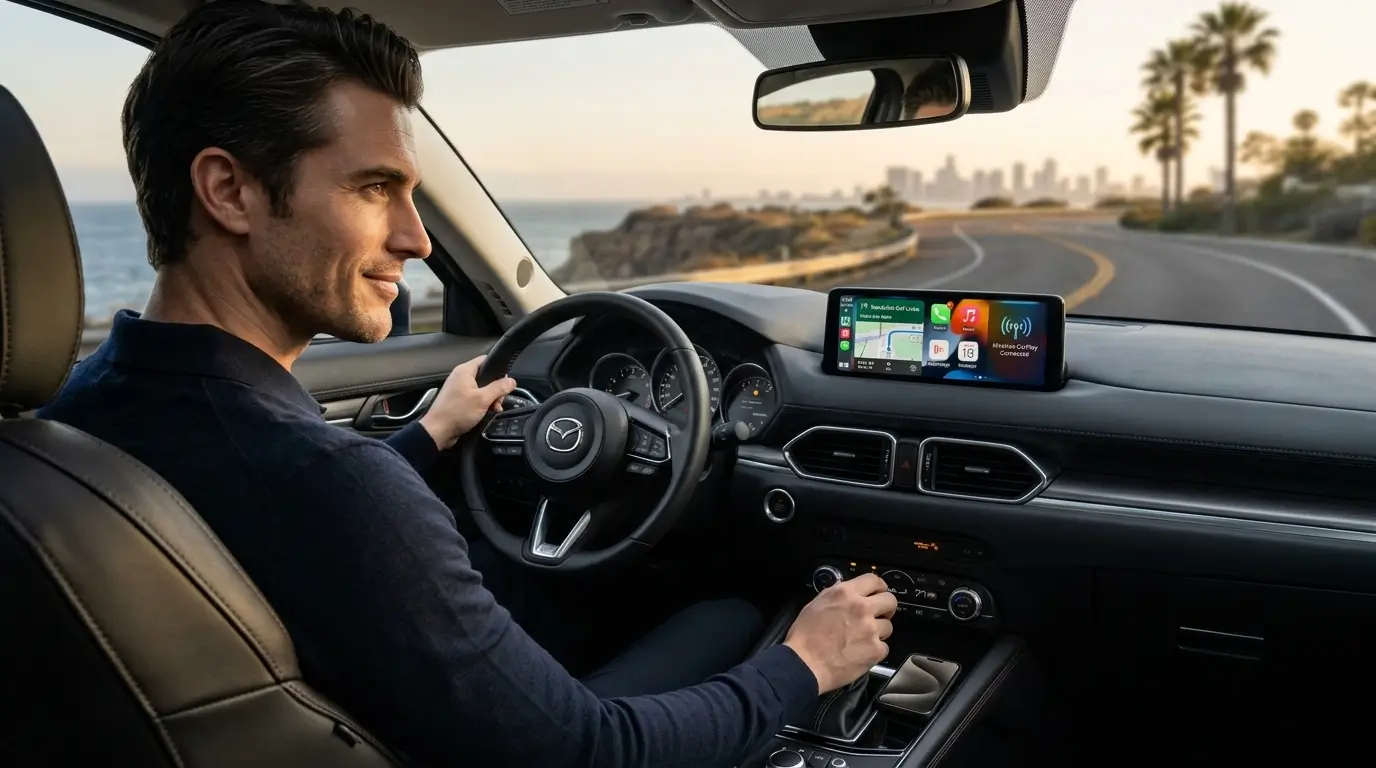
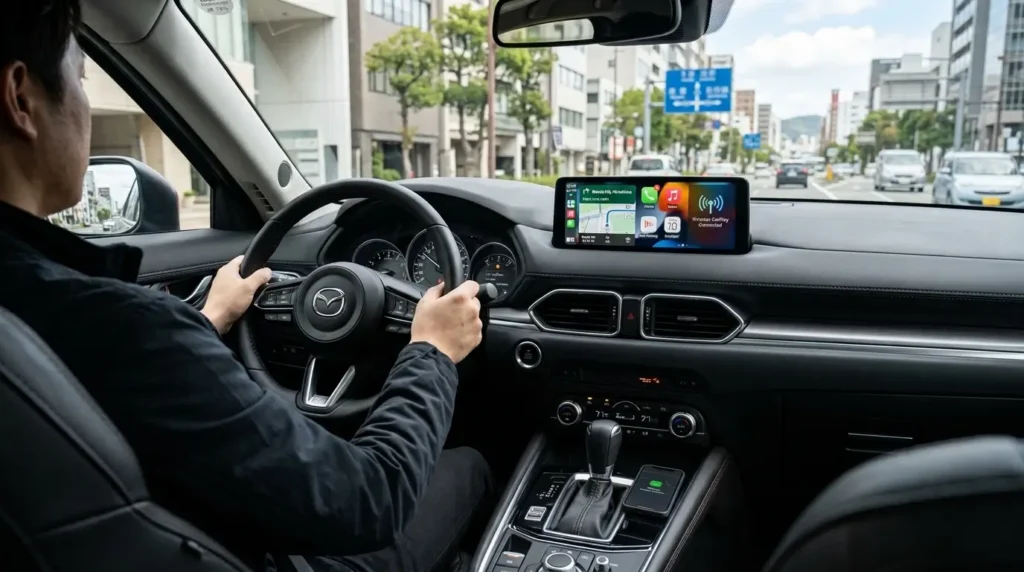
But the latest Mazda CX-5 series now comes with a Wireless CarPlay system by default. And that shows people are slowly moving towards the wireless version.
You can learn more about the Mazda Infotainment system and capabilities in this blog post we already have below:
The Bottom Line: Wireless CarPlay Uses Both WiFi & Bluetooth
So, does wireless CarPlay use Wi-Fi or Bluetooth? It uses both, but for different purposes.
Bluetooth discovers and helps establish the relationship between your iPhone and car. Wi-Fi then takes over as the primary high-bandwidth connection carrying the CarPlay interface, audio, video, and control data.
And Apple recommends 5 GHz Wi-Fi and 802.11ac for vehicle implementations, while its public documentation does not prescribe one specific Bluetooth version as the universal CarPlay requirement.
That is also why the simple phrase “Bluetooth CarPlay” can be confusing.
A car may use Bluetooth to initiate wireless CarPlay, but the CarPlay experience itself runs predominantly over Wi-Fi.
Hope You Found the Info About Whether Wireless CarPlay Uses Wi-Fi, Bluetooth, or Both.
We are always happy to help our readers.
And if you happen to use a wired USB CarPlay and want to shift to the wireless version, there’s a way.
Just get a compatible Wireless CarPlay Adapter.
Either from Amazon.
I earn a commission if you click this link and make a purchase at no additional cost to you
Or from Ottocast.
I earn a commission if you click this link and make a purchase at no additional cost to you.
And Ottocast’s my personal favorite.
P.S. Hey guys, share this post with anyone you know who is considering buying a car with Wireless CarPlay. Help them assess and evaluate the car’s interior technology and capabilities before they make such a big investment in a safe future. Plus, don’t forget to keep checking this page, Future AutoTech (and Tech Trend Tomorrow) for future tech-savvy ergonomic inspiration.
FAQs: Does Wireless CarPlay Use Wi-Fi or Bluetooth
1. Can wireless CarPlay work with Bluetooth turned off?
No. Wireless CarPlay requires Bluetooth for discovery and initial connection, alongside Wi-Fi for the active session. Turning Bluetooth off can prevent the iPhone and vehicle from completing the wireless CarPlay connection process
2. Can wireless CarPlay work without Wi-Fi?
No. Bluetooth alone is not sufficient for wireless CarPlay. Once the initial Bluetooth handshake is completed, Wi-Fi provides the high-bandwidth connection required for CarPlay audio, video, control data, and the interface itself.
3. Does wireless CarPlay use my home or mobile Wi-Fi?
No separate home Wi-Fi network is required. Wireless CarPlay establishes a Wi-Fi connection between your iPhone and the vehicle’s compatible infotainment system. Your iPhone can still use its cellular connection for internet access.
4. Is wireless CarPlay slower than wired CarPlay?
Wireless CarPlay is not inherently slow, but it depends on the vehicle’s Wi-Fi implementation and wireless environment. Apple recommends 5 GHz operation and emphasizes interference management because Wi-Fi performance directly affects the wireless CarPlay experience.
5. What Bluetooth version does wireless CarPlay require?
Apple’s public CarPlay documentation does not specify one universal Bluetooth version such as 4.2, 5.0, or 5.3. Instead, compatible vehicle systems must support the required Bluetooth Core Specification functionality, discovery, iAP2, and CarPlay pairing requirements.
6. Does wireless CarPlay work without an internet connection?
Yes, it does. Because Wireless CarPlay does not require the vehicle’s Wi-Fi connection to provide internet access. The Wi-Fi link primarily provides the local high-bandwidth connection between the iPhone and infotainment system; online apps can use the iPhone’s cellular data connection. Just think of the Wi-Fi as an alternative to the wired USB connection you normally have in cars.